

Open the company list in many SMB CRMs and you find the same problems: "Durand SAS" and "DURAND" as two records, a head office that moved two years ago, no legal form, no activity code, and nobody sure who the managing director is. Sales reps fix records one by one when they have time, which means rarely. For French B2B teams, French company enrichment solves most of this at the source: you attach the official SIREN number to each account and let the public registries fill in the legal data, instead of typing it by hand.
This playbook shows how to set it up in Ostrata, the AI-piloted CRM for SMBs, using its built-in French registry integration. The company used as an example is an illustrative scenario, not a customer story: a twelve-person industrial supplies distributor near Lyon, with about 1,500 company records imported from spreadsheets and a sales team that sells only to French businesses.
Why French company enrichment starts with the SIREN
Every French legal unit has a SIREN. According to INSEE's definition of the SIREN number, it is a nine-digit identifier, assigned once and never reused, even after the company disappears. Each establishment of that company (head office, branches, depots) has its own 14-digit SIRET number: the SIREN followed by a five-digit internal classification number, the NIC.
That makes the SIREN the most reliable key you can store on an account:
- It is unique. Two records with the same SIREN are the same legal entity, whatever their spelling.
- It is stable. Names, addresses and managers change; the SIREN does not.
- It links to open data. The French state publishes company data that can be queried by SIREN, free of charge.
The public source behind most of this is the API Recherche d'entreprises, listed on data.gouv.fr as fully open, with INSEE and INPI as partners. It returns company names, SIREN, SIRET and NAF activity codes, and supports search by name, address or director.
What Ostrata's French registry integration pulls in
Ostrata's French registry feature page describes three sources, each with a different job:
- INSEE (recherche-entreprises): SIREN, official address, legal form, NAF code and the list of officers (dirigeants).
- BODACC: official legal announcements, stored in the CRM as pending events until someone approves them.
- VIES: VAT number validation, when applicable.
The CRM schema gets matching fields: SIREN, SIRET, legal_form, a bodacc_alert flag for announcements that need review, and contact_source = registry for contacts created from the registry.
Three limits are worth knowing before you start:
- French companies only. Foreign customers keep manual fields or another source.
- Name searches can return several matches. Someone must pick the right entity; a known SIREN avoids the question.
- Nothing runs on its own. The help center states there is no automatic enrichment unless a user chooses that path.
Step-by-step: enrich your company records in Ostrata
The steps below follow the enrich company records use case and the Ostrata help center.
- Turn on the integration. A workspace admin opens Setup → Integrations → French registry. It is off by default for new workspaces, and members see a message if they try to enrich while it is disabled. BODACC and VIES become available once it is on.
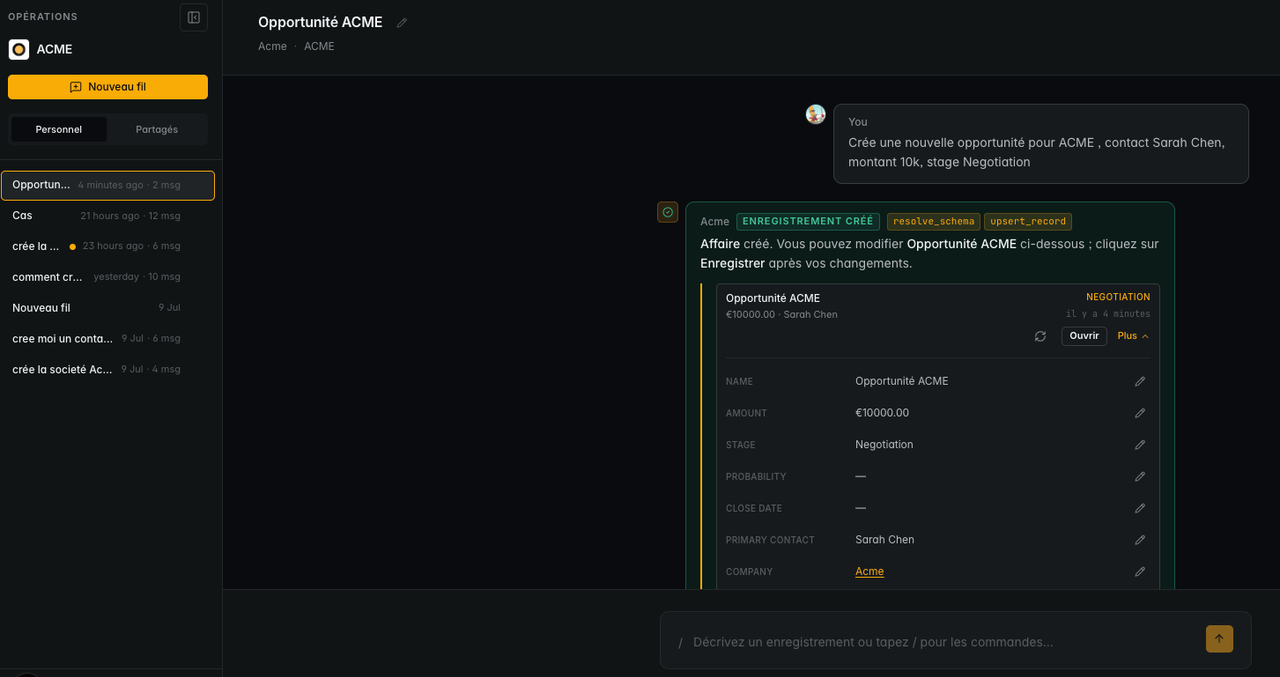
- Start with accounts you already know. In Operations, ask Pilot in plain English or French, for example: "Enrich Durand SAS with SIREN" followed by the nine digits from the customer's invoice or quote. With a known SIREN, there is nothing to disambiguate.
- Search by name when the SIREN is missing. Ask Pilot to search the registry by company name. If several entities come back, pick the one whose city and activity match. On mobile, the same works in Telegram.
- Review the pending diffs. When a field was edited by hand in the CRM, Ostrata does not overwrite it. It shows a pending diff, and you approve the field groups you want from INSEE or dismiss the suggestion.
- Use the Enrich button for one-off fixes. In Standard views, open a company record and click Enrich in the sidebar. Search uses the name already on the record. Pick the match and confirm: this mode overwrites registry-mapped fields that already have values, so use it when you trust the registry over the record.
- Let AI fields refresh. After a successful enrich, AI summary and score fields on the company are recalculated, so a segment or priority score reflects the new legal data.
Who is involved in practice:
- Admins: enable the integration once and keep the Companies permissions right. Any member with update access to Companies can then enrich.
- Sales reps: enrich the accounts they work on, from Operations, the record sidebar or Telegram.
- Sales operations: review the pending diffs on the accounts that matter most, so manual corrections are never lost.
Turn registry officers into contacts, carefully
Pilot lists the officers returned by the registry, and you choose which ones to import as contacts linked to the company. According to Ostrata's documentation, natural persons are split into first and last name, legal entities keep their full legal name, and each imported contact carries its registry role.
Two points keep this clean:
- No email or phone. Registry contacts never include contact details. Treat them as a map of decision-makers, then add details from your own exchanges with the customer.
- Import only what you need. A holding company with ten officers does not need ten contacts. In our scenario, the team imports the managing director and the chief financial officer for accounts above a set revenue threshold, and nobody else.
Personal data stays personal data, even when it comes from a public register: document why you store each officer, and remove contacts you no longer use.

Keep accounts current with BODACC alerts and VIES checks
Enrichment is not a one-time clean-up. Companies move, change managers, sell a business or enter insolvency proceedings, and those events are published officially. The BODACC dataset on data.gouv.fr describes the bulletin published by the DILA: creations, sales and transfers, collective procedures, modifications and removals, and filing of annual accounts, released five times a week under the Licence Ouverte.
In Ostrata, BODACC announcements arrive as pending events on the company. They show on the record banner and in Pilot follow-ups, and you approve or dismiss them. In our scenario, the rule is simple: any announcement about collective proceedings goes to the finance team before the next delivery on credit.
For VAT numbers, the European Commission's VIES page explains that VIES is a search engine over national VAT databases, not a database itself. An "invalid" answer can mean the number does not exist, or that it is not activated for intra-EU trade. The Commission also recommends keeping a record of your validations in case of a tax control.

What to do now: a one-week enrichment plan
- Day 1: turn on the French registry in Setup, and add the SIREN to your 50 most important accounts from invoices or quotes.
- Day 2: enrich those 50 in Operations and review every pending diff. Note which fields your team had edited by hand and why.
- Day 3: search by name for the next batch of accounts without a SIREN, and resolve the ambiguous matches with the account owner.
- Day 4: decide your officer import rule (who, for which accounts) and apply it.
- Day 5: agree who reviews BODACC events and in which order, then merge the duplicates the SIREN has revealed.
Before and after, in short:
- Before: names typed three different ways, addresses from an old spreadsheet, no legal form, and decision-makers known only to one rep.
- After: one SIREN per account, official address, legal form and NAF code, a short list of named officers, and legal announcements that reach the team instead of a surprise unpaid invoice.
If your records still live in spreadsheets, start with our Excel to CRM migration playbook, then enrich. The duplicate logic is the same as in our guide to Salesforce duplicate rules: a stable key beats fuzzy name matching. And once accounts are clean, connecting Claude to your CRM for meeting prep gives far better briefs.
French company enrichment is one of the quickest data quality wins for a French B2B team: one official identifier per account, legal data from public sources, and a review step that protects your own corrections. Start with your top accounts, keep officer imports small, and treat BODACC events as a routine, not an emergency. Ostrata offers a free plan for one person and a PRO plan from €17.10 per seat per month excluding VAT on yearly billing, as listed on its plans page. If you want help designing the data model, the review rules and the migration, our Ostrata implementation services and our CRM migration team can set it up with you.