

Winter '27 has now reached production orgs, and with it a new batch of Salesforce release updates. Some were switched on automatically during the upgrade, others have fixed dates on November 30 and December 1, and a longer list lands with Spring '27 and Summer '27. Release updates are not optional: each one is enforced on its date, whether or not someone in your team has tested it. This guide sorts the current list by deadline, explains who is affected, and gives a step-by-step plan your admin can run this week.
What Salesforce release updates are and why the dates matter
Release updates are the changes Salesforce makes to security, performance and platform behaviour that would otherwise break something if they arrived silently. They appear in Setup under Release Updates before they are enforced, so admins can read what changes, test it and activate it early. Salesforce's Trailhead unit on product management habits for admins describes how the page groups them: Needs Action, Due Soon, Overdue and Archived. Opening an update shows the details, and Get Started walks you through the test steps.
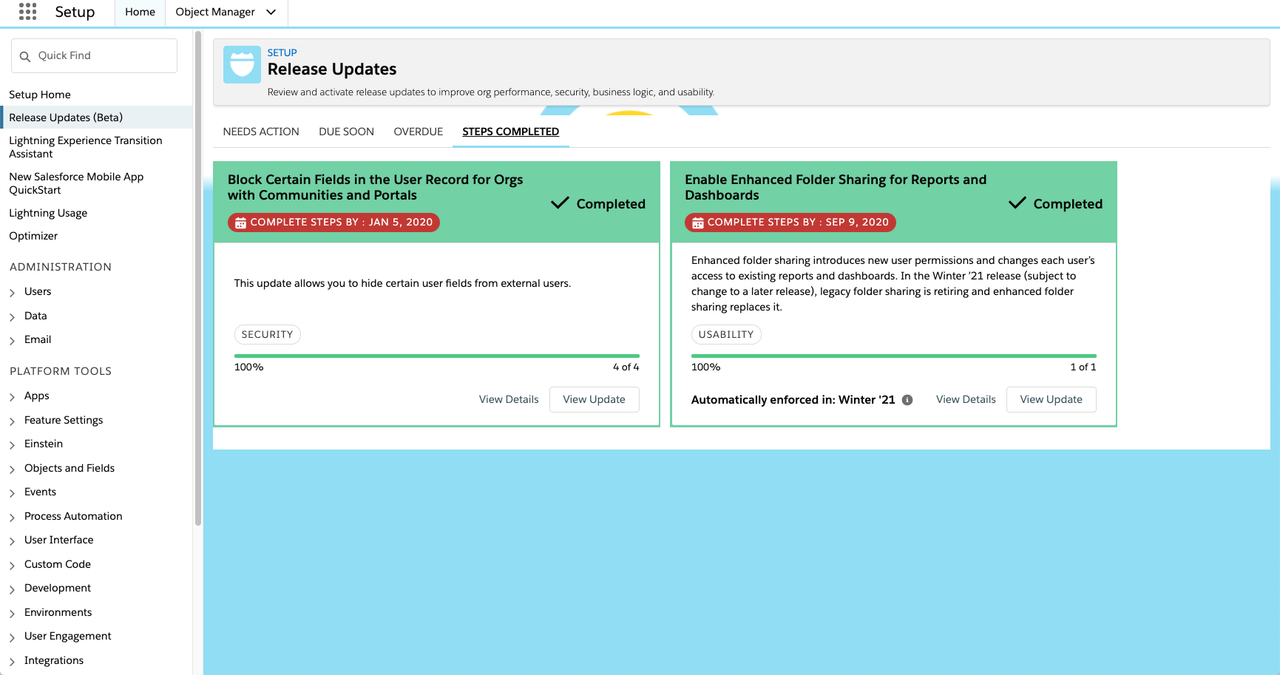
The official Release Updates list in the Winter '27 release notes is the reference to bookmark. It changes during the year: dates move, and some updates are cancelled or replaced. Always compare it with the Release Updates page of your own org, which only shows the updates that apply to the features you use.
Already enforced with Winter '27: what to check now
These updates were enforced with the Winter '27 upgrade. If nobody tested them, check now that nothing changed for your users.
Enable Profile Filtering. According to the release note, profile filtering is now on by default: users can see only their own profile name unless they hold the View All Profiles permission. The Help page on profile filtering lists the other permissions that still show all profiles, including Customize Application, Manage Users, Manage Profiles and Permission Sets, and Manage External Users. Two consequences are easy to miss:
- Any report, list view, screen or custom component that shows another user's profile name to a regular user will no longer show it.
- Users without View All Profiles can no longer create or edit login flows.
Admins usually hold one of the bypass permissions, so testing as yourself proves nothing. Log in as a standard sales or service user and check the pages, reports and automations that mention profiles.

Assign Use Any API Auth Permission for SOAP login(). Integrations that still sign in with SOAP login() now need this permission. We covered this change, and the OAuth deadlines that follow it, in our guide to Salesforce integration authentication deadlines.
Accessibility enhancements. Three updates change the styling of cards, menus, panels, page headers, modal windows and other components when users view pages at 200% browser zoom or more. Ask users who work with high zoom to tell you if anything looks cut off.
Due before the end of 2026: November 30 and December 1
Two fixed dates arrive before the holidays.
November 30, 2026: Restrict the OAuth 2.0 Device Flow to Local External Client Apps. The device flow is used by tools that sign in from devices with limited input. From November 30, Salesforce restricts it to local external client apps with a localhost callback URL. Connected apps that use the device flow must be migrated to external client apps to keep working.
December 1, 2026: Maintain Your Email Verification Exception. Some orgs asked Salesforce Customer Support, in the past, to switch off email address verification for their domains. On December 1, Salesforce removes those Support-managed allowlists. The earlier update "Adopt Authorized Email Domains" was cancelled and replaced by this one. To keep your exception, configure it yourself, as described in the Help page on bypassing email address verification for verified domains:
- In Setup, open Authorized Email Domains and verify your domain (you need the Email Administration permission).
- Click Edit next to the verified domain.
- Set Require Address Verification to Send Email to For Updated Addresses Only or Never. The default is Always.
- Save, then test sending from a user and an organization-wide address on that domain.
Choosing Never restricts email address changes to users with Manage Users or Modify All Data, so only authorize domains your company fully controls.
Spring '27 and Summer '27: plan the larger migrations
The next group needs real project time, not a ten-minute toggle.
- February 20, 2027: the OAuth user-agent and hybrid user-agent flows are retired. Integrations must move to the web server flow or hybrid web server flow with PKCE. The OAuth username-password flow for connected apps retires on the same day.
- Spring '27: Salesforce to Salesforce is retired. Salesforce recommends Partner Cloud, Data Cloud One, MuleSoft Anypoint or MuleSoft for Flow as replacements. If you share leads or opportunities with partners this way, start the design now. Our CRM migration team can help map what moves where.
- Spring '27: Update Instanced URLs in API Traffic. API traffic that uses an incorrect instanced URL will no longer be supported. Every integration should call your My Domain login URL. This update has already been postponed several times; do not count on another delay.
- Spring '27: Conceal Personal Information Fields from Guest Users. A new option, Independent Guest Field Masking, and a Guest_PersonalInfo_EPIM field set let you hide personal fields from guest users without changing what portal users see. Orgs with public sites or Experience Cloud guest access should review it.
- Spring '27: View Setup Audit Trail permission. Access to Setup Audit Trail gets its own permission. Existing access is kept, but new admins and auditors will need it assigned.
- Summer '27: connected apps must be migrated to external client apps, and SOAP API login() in versions 31.0 to 64.0 is retired.
Who is affected
- Admins: own the review in Setup, the test logins as standard users and the email domain settings.
- Integration and IT teams: handle the device flow, the OAuth flow retirements, the instanced URLs and the move to external client apps.
- Sales and partner managers: depend on Salesforce to Salesforce or partner data sharing and must agree on the replacement.
- Marketing and operations teams: send email from Salesforce and will notice first if domain verification is not in place on December 1.
- Security and compliance owners: decide who keeps View All Profiles and which fields guest users may see.
What to do now: a five-step plan
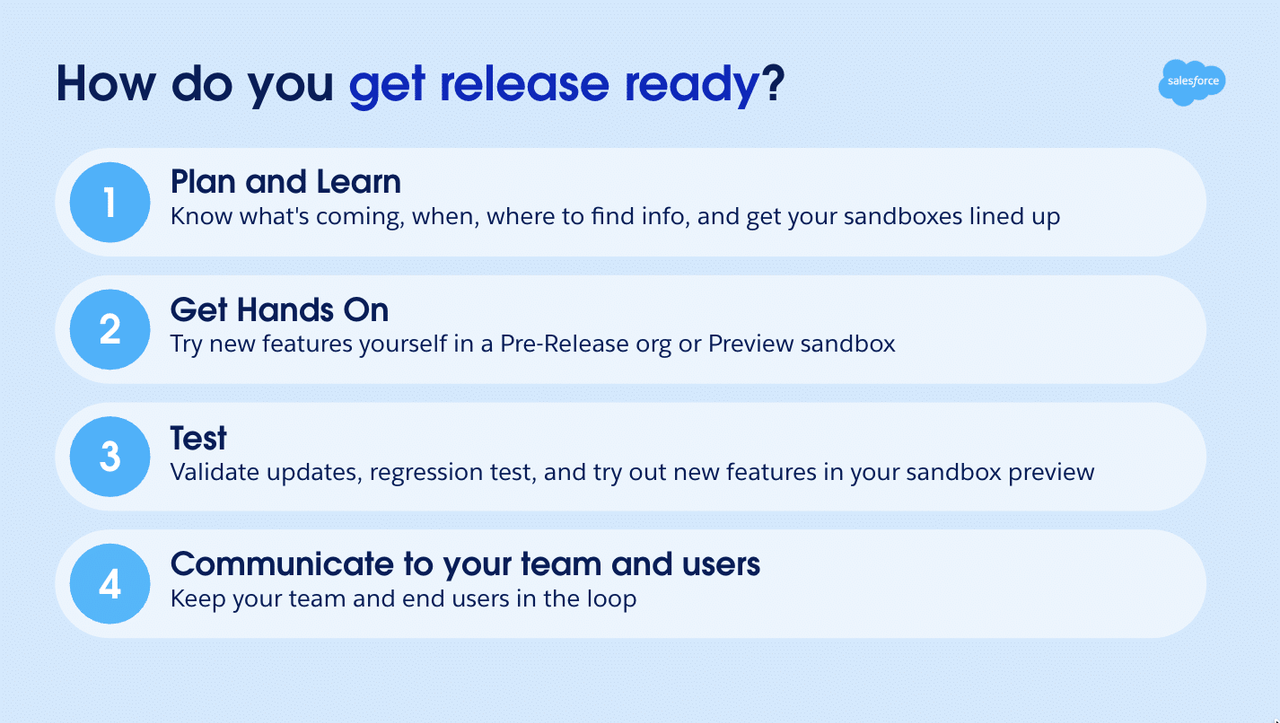
- Open Release Updates in Setup today. Export or note every update in Needs Action, Due Soon and Overdue, with its date and the team that owns it.
- Check Winter '27 effects. Log in as a standard user, open the reports, pages and flows that use profile names, and decide who really needs View All Profiles. Prefer a permission set over editing profiles.
- Secure the December dates. Confirm with IT whether any tool uses the OAuth device flow, and set up your authorized email domains before December 1.
- Test the Spring '27 updates in a sandbox. Where an update offers a test run, enable it in a sandbox first and record the result.
- Launch the two projects. Plan the external client apps migration and, if you use it, the Salesforce to Salesforce replacement, with an owner and a target date ahead of each deadline.
Before and after, in short:
- Before: release updates discovered the week they are enforced, settings changed in production, and an integration that stops on a Monday morning.
- After: one list with owners and dates, tests in a sandbox, and changes activated on your schedule instead of Salesforce's.
These checks also fit naturally into a broader security review. Our step-by-step guide on how to check your org for Salesforce attacks covers access and connected apps, and our article on the Salesforce for Outlook retirement adds one more date to your calendar.
Conclusion
Salesforce release updates reward teams that read them early. Winter '27 has already enforced profile filtering, November 30 and December 1 change the device flow and email verification, and Spring '27 retires Salesforce to Salesforce and several OAuth flows. A short review in Setup, test logins as standard users and two well-planned projects are enough to stay ahead. If you want a structured review of your org before Spring '27, our Salesforce Sales Cloud consultants can audit your release updates, integrations and permissions with your team.