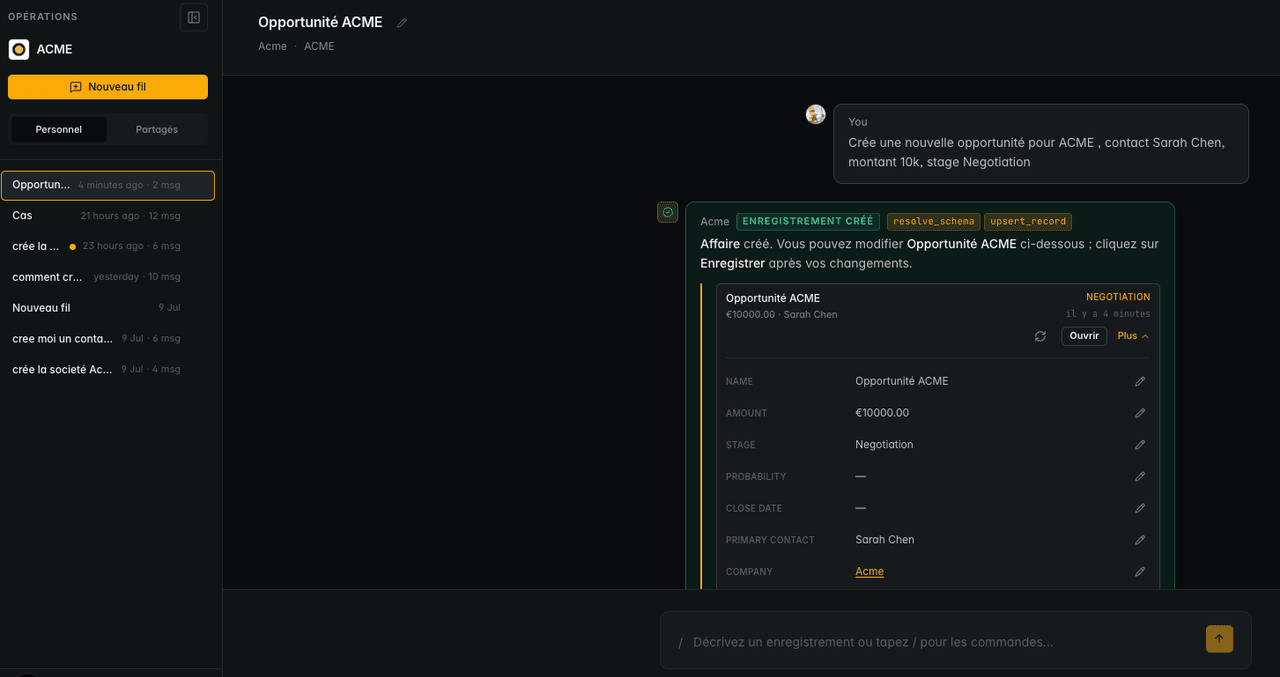

Your first AI workflow works in the demo. Then someone asks the uncomfortable question: what happens when the agent sends the wrong quote, closes the wrong ticket or updates 400 CRM records at once? Most teams answer with "a human will check everything", which quietly kills the productivity gain. Human-in-the-loop AI workflows solve this properly: you decide in advance which steps run on their own, which ones wait for approval and who can stop the system.
This guide is for operations leaders, IT teams and CRM owners at French B2B companies who want to put AI agents into real processes without losing control.
Why "a human checks everything" fails
Blanket review sounds safe, but it breaks in three predictable ways:
- Reviewers stop reading. When 98% of outputs are fine, people approve by reflex. The EU AI Act names this risk explicitly: Article 14 on human oversight asks that the people overseeing high-risk systems stay aware of "automation bias", the tendency to over-rely on what the system produces.
- The queue becomes the bottleneck. If every draft email waits for a manager, the workflow is slower than the manual process it replaced.
- Nobody owns the stop decision. Approval steps exist, but no one knows who can pause the agent when something looks wrong.
Article 14 strictly applies to high-risk AI systems, which most sales or back-office workflows are not. Its five expectations still make a useful design checklist for any agent: understand the system's limits, watch for over-reliance, interpret outputs correctly, be able to override or ignore them, and be able to interrupt the system safely.
Workflow or agent: decide how much autonomy you need
Anthropic's engineering guide Building effective agents draws a distinction worth reusing. Workflows run LLMs and tools through predefined code paths. Agents decide their own steps and tool use. The guide also recommends starting with the simplest solution and adding complexity only when it is needed, and notes that agents can pause for human feedback at checkpoints or when they hit a blocker.
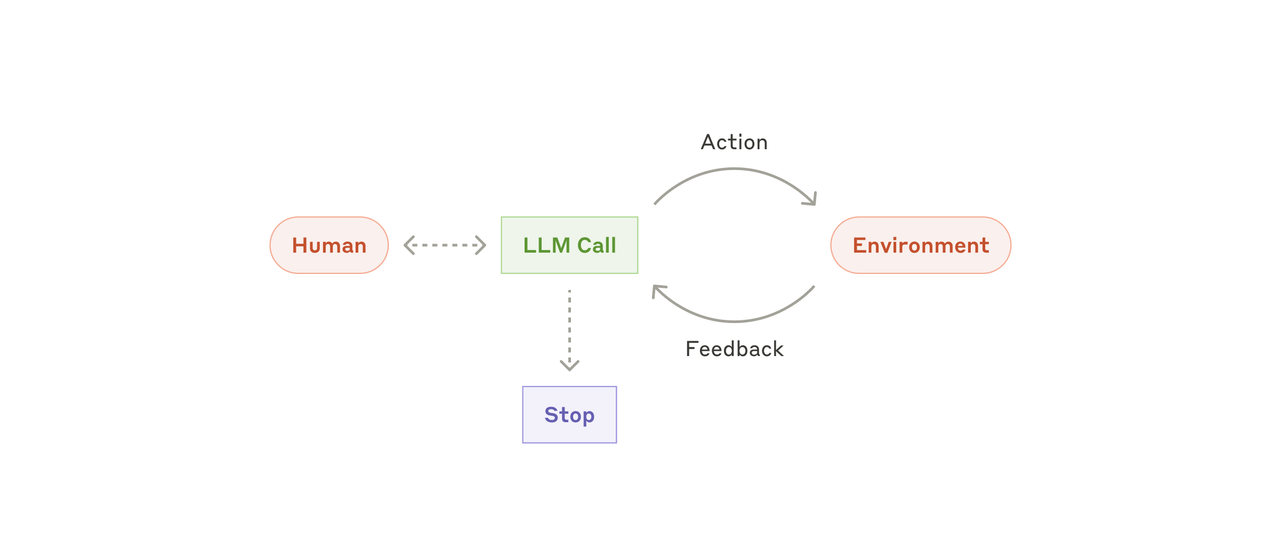
That gives you a practical rule for choosing:
- Choose a fixed workflow if the steps are known, the volume is high and errors are costly: invoice matching, lead routing, order checks.
- Choose an agent if the path changes from case to case and a person would otherwise spend time investigating: research before a meeting, triaging unusual support requests.
- Choose a hybrid if the investigation is open-ended but the final action is sensitive: let the agent gather and propose, then let a person approve the write.
The more autonomy you give, the more deliberately you need to place your checkpoints.
Where to put checkpoints in human-in-the-loop AI workflows
Not every step deserves the same level of control. A simple way to sort them is to classify each action an AI workflow can take into one of three tiers.
Tier 1 — Runs alone, logged: read-only actions and reversible drafts. Searching the CRM, summarising a call, drafting an email that stays in drafts. Review happens through sampling, not approval.
Tier 2 — Waits for approval: actions that leave the company or change important data. Sending an email to a customer, updating a deal amount, creating a refund, changing an owner. The person sees exactly what will happen before it happens.
Tier 3 — Never automated: actions with legal, financial or HR weight. Signing, deleting records in bulk, changing prices or contract terms, decisions about people. The agent can prepare the file; a person acts.
Connector standards already support this split. The Model Context Protocol tools specification says there should always be a human in the loop able to deny tool calls, and that clients should ask for confirmation on sensitive operations. In practice, that means you can expose read tools freely and put write tools behind a confirmation step, as we described in our guide to connecting Claude to a CRM for meeting prep.

Design approvals people will actually read
A checkpoint only works if the reviewer can decide in seconds. Good approval screens share a few traits:
- Show the action, not the reasoning. "Send this email to the buyer at this account", with the full text, beats a paragraph of model reasoning.
- Show what changes. For data updates, display before and after values side by side.
- Flag uncertainty. Ask the workflow to mark low-confidence cases or missing data so reviewers focus where it matters.
- Make "edit" as easy as "approve". If fixing a draft takes longer than rewriting it, people will bypass the tool.
- Set a time limit. Decide what happens when nobody responds: the action expires, it escalates to a backup reviewer, or it stays parked. Never let it run by default.
- Track overrides. Every rejection or edit is test data. Feed it into the evaluation set we described in AI workflow evaluation: test before you scale.
Over time, the override rate tells you when a Tier 2 step has become reliable enough to move to sampling, and when a Tier 1 step needs tighter control.
Personal data and the stop button
Agents often touch customer and employee data across several tools. In July 2026, the CNIL and the French AI and Digital Council published a note on agentic AI and personal data (in French). It highlights data flowing between connected services, persistent memory, unclear sharing of responsibility and the risk that people lose control over their personal data.
For a French company, that translates into concrete controls:
- Least privilege: give each agent its own account with only the permissions its tier needs, never an admin's credentials.
- Named owner: one person per workflow is accountable for its behaviour and can pause it.
- A real stop switch: a documented way to disable the agent or revoke its connector access in minutes, tested before go-live.
- Logs you can read: who approved what, when, and what the agent did, kept in line with your GDPR retention rules.
- Stopping conditions: a maximum number of steps or actions per run, so a confused agent cannot loop indefinitely.

What to do now: a 30-day rollout plan
- Week 1 — Map one process. Pick a single workflow, such as inbound lead qualification. List every action the AI could take and assign each one to Tier 1, 2 or 3.
- Week 1 — Name the people. Choose the workflow owner, the reviewers for Tier 2 steps and a backup for absences.
- Week 2 — Build the approval screen. Show the action, the before/after values and a confidence flag. Restrict the agent's permissions to match its tiers.
- Week 3 — Run in shadow mode. The workflow proposes, people act as usual, and you compare. Record every disagreement.
- Week 4 — Go live with approvals on. Monitor approval time and override rate weekly. Test the stop switch once in production.
- After 30 days — Adjust. Move steps between tiers based on evidence, not on enthusiasm.
If you want help mapping your processes and placing the right checkpoints, our AI workflow implementation team runs this exact exercise, and our AI agents service covers the build, permissions and monitoring.
Human oversight is not a brake on AI workflows. It is what lets you trust them with real work. Decide what runs alone, what waits for approval and what stays human; make approvals fast to read; and make sure someone can stop the system at any time. Start with one process, measure overrides, and expand autonomy only where the data shows it is earned.